

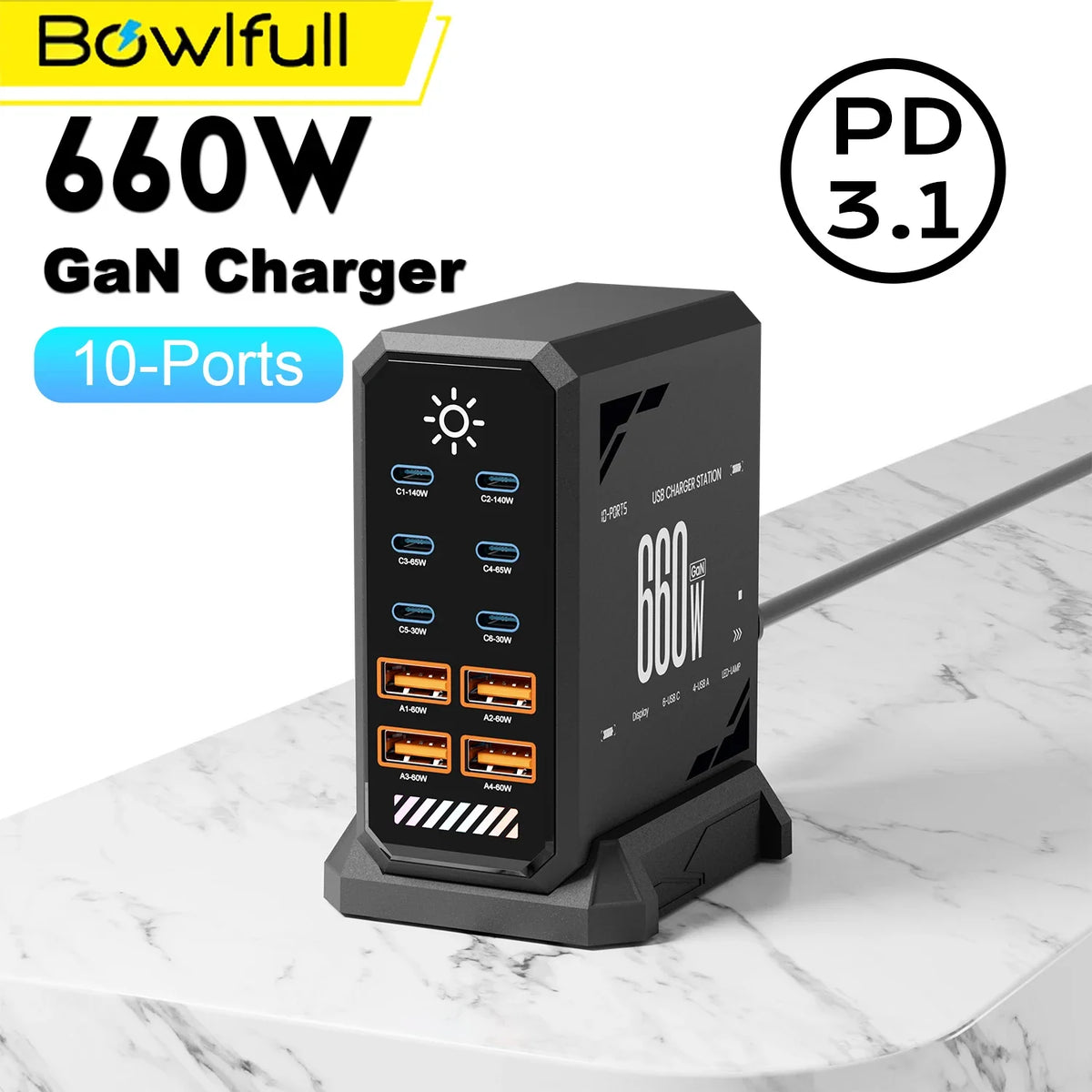
Phones, laptops, tablets, earbuds, cameras and other accessories can quickly turn one desk into a collection of separate power bricks. A multi-port GaN charging station can simplify that setup, but the biggest number printed on the product page is not the only specification that matters.
The right charger depends on how many devices you charge, how much power each one can accept, how the station distributes power between ports and which plug type you need.
What does GaN mean?
GaN stands for gallium nitride, a semiconductor material used in many modern power adapters. GaN-based designs can support compact, high-output chargers, which is why the technology is increasingly common in multi-device charging stations.
For a buyer, however, the useful question is not simply “Is it GaN?” It is “Does this charger have the right ports, output and protocols for my actual devices?”
1. Count the devices you really charge at the same time
A 10-port station makes sense for a desk or household with many regularly connected devices. If you only charge a phone and earbuds, a smaller charger may be easier to travel with.
Write down your typical simultaneous load: laptop, phone, tablet, watch, camera battery, handheld console and so on. Then choose a port layout with some room to grow rather than buying solely by the largest possible port count.
2. Total wattage is not the same as power from one port
A station may advertise a high combined output, but that figure describes the charger as a system. Individual ports can have their own limits, and available power can change when several devices are connected at once.
The 10-Port GaN USB-C Charging Station is supplier-listed with a combined output up to 660W. Actual output depends on the devices and port configuration. Guanawear also carries a Ubigbuy 420W GaN Charging Station with a smaller overall rating and a digital display.
When shopping, check the charging requirement of your highest-power device first, then confirm how the charger's individual ports behave when multiple outputs are used.
3. USB-C Power Delivery and device compatibility
USB-C is a connector shape, while charging protocols determine how devices negotiate power. Many laptops, tablets and phones use USB Power Delivery, often shortened to USB PD. Some chargers also support additional fast-charge protocols.
Do not assume every USB-C port on a multi-port station provides identical output. Check the supplier specifications for the exact port you plan to use and pair it with a cable rated for the required power.
4. Your cable is part of the charging system
A high-output charger cannot deliver its intended performance through a cable that is not designed for the required current and power level. If a device charges more slowly than expected, the charger is only one possible cause; the cable and the device's own charging limit also matter.
For a clean desk, label or group cables by device instead of relying on visual similarity. This is especially useful when several USB-C cables look identical but have different capabilities.
5. Choose the correct regional plug
Plug type is an easy detail to overlook when shopping online. The Guanawear GaN stations currently include regional plug variants, so select the version intended for where you will use it. A plug adapter changes physical fit; it does not automatically change the electrical specifications of a device.
For Switzerland or international travel, review the selected plug and your intended power environment before checkout.
6. More ports can reduce clutter—but only with a plan
Replacing five separate adapters with one station can free outlets and simplify cable management. Put the charging station where cables can reach devices without stretching across the desk, use shorter cables for nearby devices and reserve the most capable ports for equipment with higher charging demands.
Our companion article, How to Build a Clutter-Free Multi-Device Charging Setup, gives a practical desk-layout checklist.
Which Guanawear GaN station fits which setup?
10-Port GaN USB-C Charging Station: useful when port count is the main priority and several devices need a centralized charging point. It is listed in multiple finishes and regional plug versions.
Ubigbuy 420W GaN Charging Station: another multi-device option with supplier-listed USB-C PD/PPS support, a digital display and several regional plug choices.
Neither option should be selected by total wattage alone. Match the individual port capabilities to the devices you intend to connect.
GaN charging station checklist
- Count your simultaneous devices.
- Identify the highest-power device.
- Check individual-port output, not only the combined rating.
- Verify charging protocols supported by your devices.
- Use appropriately rated cables.
- Select the correct plug variant.
- Leave spare ports if your setup is likely to grow.
Ready to simplify your charging setup?
Compare the 10-Port GaN USB-C Charging Station and the Ubigbuy 420W GaN Charging Station, or browse the full Tech & Electronics collection.


