

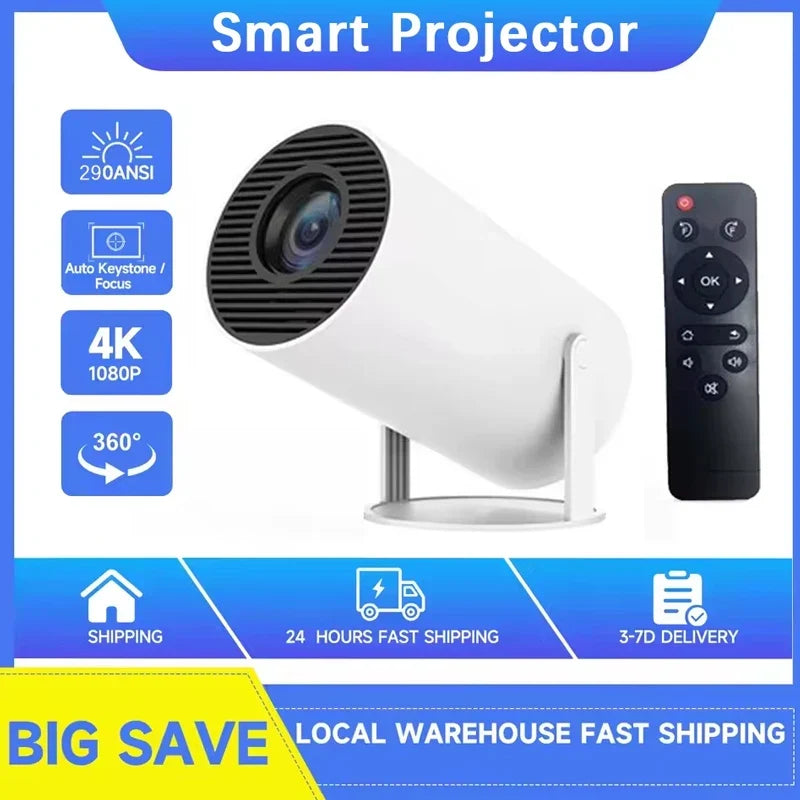
A compact projector can create a large image without dedicating an entire wall to a television, but projector shopping is full of specifications that are easy to misunderstand. Native resolution, supported input resolution, room brightness, projection surface and connectivity all affect the final experience.
This guide focuses on the checks you can make before ordering a portable projector for movies, casual entertainment or presentations.
1. Start with native resolution
Native resolution describes the physical pixel grid the projector uses to create the image. It is more useful than a marketing claim that a projector can merely accept a higher-resolution signal.
The HY300 Portable Android Projector at Guanawear is listed by the supplier with a native resolution of 1280 × 720. The product description intentionally separates this from any supported input-resolution claims, which can vary by software and supplier version.
2. Think about the room before the screen size
Projectors generally look their best when ambient light can be controlled. A darker room allows the projected image to appear with better perceived contrast than the same projector in a bright room.
Instead of choosing the largest possible picture first, decide where the projector will sit, where the image will land and how much light enters the room. The practical screen size depends on the projector, throw distance and viewing environment.
3. A proper projection surface can improve consistency
A clean, flat, neutral surface usually provides a more predictable image than a textured or strongly colored wall. A portable screen can also make temporary setups easier to repeat in different rooms.
Guanawear's MIXITO Foldable Projector Screen is offered in sizes from 60 to 200 inches according to the supplier listing. Select size based on your available wall space and the projector setup rather than simply choosing the largest option.
4. Check wired and wireless connections separately
A smart projector may provide several ways to play content. The HY300 listing includes Wi-Fi and Bluetooth connectivity plus HDMI and USB inputs. Each connection serves a different purpose, and compatibility depends on the source device and software.
HDMI is useful for many external video sources. USB availability does not mean every file format or accessory is supported. Bluetooth can be useful for compatible audio or accessories, while Wi-Fi features depend on the software environment and network.
5. Smart software is convenient, but apps can change
The HY300 is supplier-listed with Android 11. Smart interfaces can make a projector more self-contained, but streaming-app availability, logins and software support can change over time or between supplier versions.
If a particular streaming service is essential to you, verify current compatibility rather than assuming every Android-based projector supports every app in the same way.
6. Built-in speaker or external audio?
A built-in speaker makes quick setups easier. For a larger room or movie-focused setup, you may still prefer separate audio equipment. If you plan to connect external audio, check the supported wired or wireless connection before buying.
7. Do not forget the plug type
The HY300 listing currently includes US, UK and EU plug variants. Select the plug intended for your region before checkout. This is especially important when shopping from a store that serves more than one country.
Portable projector checklist
- Check native resolution, not only accepted input formats.
- Consider how much ambient light you can control.
- Measure the wall or screen area available.
- Confirm the input you need: HDMI, USB or wireless.
- Verify any essential streaming app before relying on the smart interface.
- Plan external audio if built-in sound will not suit the room.
- Select the correct regional plug.
Projector plus screen: a more complete setup
If you want a temporary movie-night arrangement rather than a permanent TV wall, a portable projector paired with a foldable screen can be easier to pack away between uses. The important part is matching the screen dimensions to the space and testing the projector position before mounting or fixing anything permanently.
Compare the HY300 Portable Android Projector, the MIXITO Foldable Projector Screen, or browse Tech & Electronics for more setup options.


