

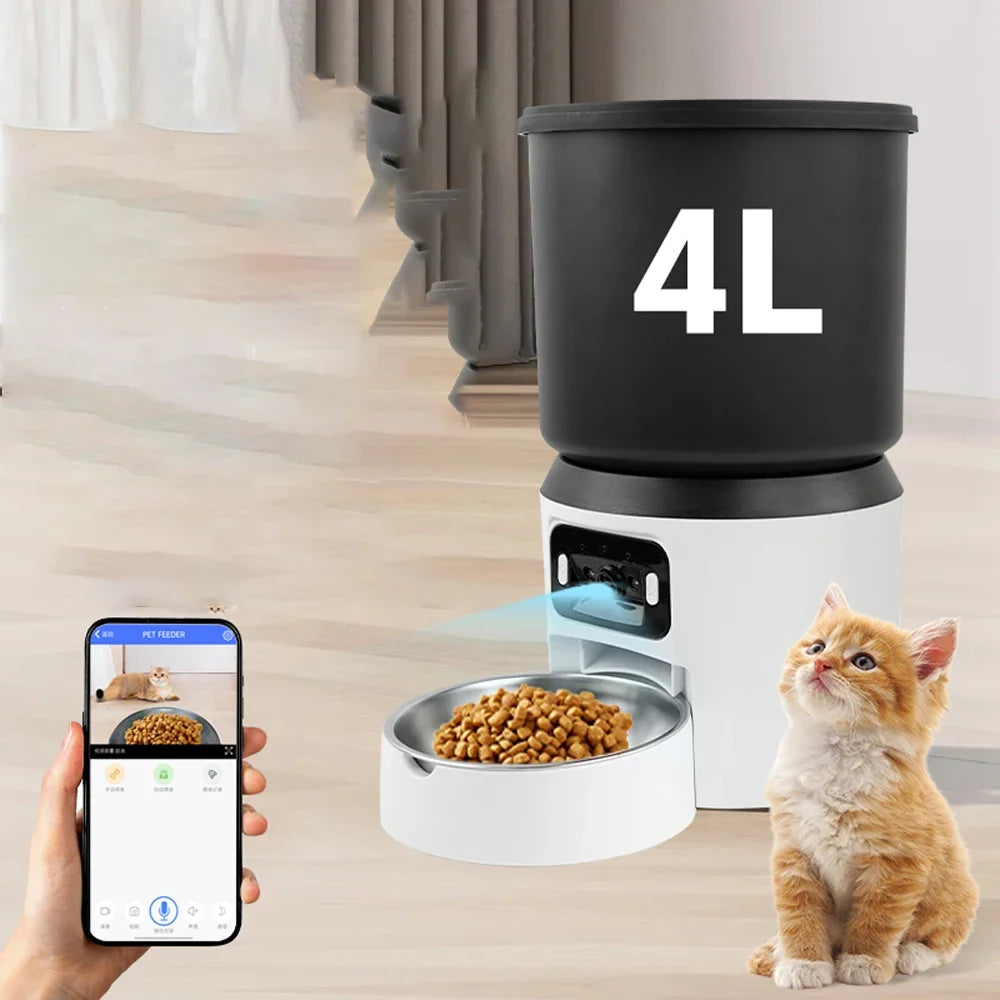
An automatic feeder can make a dry-food routine easier to manage, but the best version is not automatically the one with the most features. A simple button-controlled model may be enough for a predictable schedule, while Wi-Fi or voice functions can be useful when you want more flexibility.
Before choosing, focus on the food you use, the capacity you need, how you want to control the feeder and what role automation should play in your daily pet-care routine.
Start with food compatibility
Automatic dispensers are commonly designed around dry food, and kibble size or shape can affect how reliably food moves through a dispensing mechanism. Check the feeder listing and the food you normally use before purchase.
The Guanawear 4L Automatic Pet Feeder is listed for compatible dry pet food and comes in three control versions: Button, Wi-Fi and Voice.
Button control: simple and direct
A button-controlled feeder is the straightforward choice when you mainly want automatic dispensing without adding another connected device to the home. It can suit a stable routine where settings are adjusted directly on the unit.
Choose this style if simplicity is more important to you than remote control. Before ordering, confirm how the selected model is programmed and whether its scheduling options fit your routine.
Wi-Fi control: useful when flexibility matters
A Wi-Fi version can be useful for buyers who prefer connected control, but connectivity should be treated as a convenience rather than a substitute for checking the feeder and your pet in person. App features and supported networks can vary by supplier version, so verify the current product information before relying on a specific function.
If your schedule changes often, connected control may be worth the upgrade. If your routine rarely changes, it may add complexity you do not need.
Voice version: decide what you expect from it
The Guanawear listing also includes a Voice configuration. Because voice-related features can mean different things between feeder models, review the exact supplier description for the selected variant rather than assuming compatibility with a particular smart-home platform or voice assistant.
How much capacity do you need?
Capacity affects how often the hopper needs attention, but larger is not always better. Food should still be stored and handled according to its packaging instructions, and the feeder should be cleaned regularly.
The Guanawear model has a supplier-listed 4 L dry-food capacity. Whether that is appropriate depends on the pet, food type and serving routine. Avoid using hopper size as a reason to leave a pet without normal supervision or fresh water.
Compare the 4L Feeder Versions
Think about the routine, not only the hardware
A feeder works best as part of a consistent routine. Decide when it will be filled, when the bowl and dispensing areas will be checked, and who is responsible for confirming that the pet has access to fresh water and normal daily care.
If you want a practical routine checklist, continue with How to Build a More Consistent Pet Feeding Routine with an Automatic Feeder.
Automatic feeder buying checklist
- Confirm the feeder is intended for the food type you use.
- Check hopper capacity against your normal routine.
- Choose Button, Wi-Fi or Voice based on functions you will actually use.
- Review power and connectivity requirements for the selected version.
- Check how easily food-contact areas can be cleaned.
- Do not treat automation as a replacement for fresh water, supervision or normal pet care.
Which version should you choose?
Button: best suited to buyers who prioritize a simpler, direct setup.
Wi-Fi: worth considering when connected control fits your lifestyle.
Voice: consider it when the specific voice functions listed for the variant match what you want.
Explore the 4L Automatic Pet Feeder or browse more travel, feeding and everyday accessories in Pet Essentials.


